
Download CircleMaster Circle Scoring – circle drawing app, circle scoring tool, precision drawing, art training, drawing accuracy, digital art tool, circle practice, skill improvement, drawing game, circle challenge
Overview
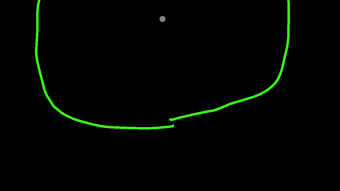
CircleMaster Circle Scoring is a specialized desktop application designed to evaluate the accuracy of hand-drawn circles against a perfect geometric circle. The software serves as a precision-focused tool for individuals seeking to improve their freehand drawing skills, particularly in tasks requiring circular forms. By analyzing the deviation from an ideal circle, the app provides immediate feedback through a scoring system that rewards consistency, symmetry, and smoothness. This makes it especially useful for artists, designers, and students in visual arts disciplines who need to refine their hand-eye coordination and control.
The app supports a gamified learning experience, incorporating elements such as experience points, level progression, and a combo system to maintain engagement. Users can challenge themselves to achieve higher accuracy percentages, with a dedicated pro mode offering increased difficulty for advanced users. Real-world applications include preliminary sketching, technical drafting, and digital illustration preparation. The developer, CircleMaster Inc., positions the software as a training aid rather than a full-featured design tool, focusing exclusively on circle-drawing proficiency.
While the developer did not provide additional details about target demographics beyond general artistic practice, the app’s structure suggests it may appeal to both beginners exploring foundational drawing techniques and professionals refining their manual dexterity. The integration of tutorials and tips further supports self-paced learning. No external dependencies or online connectivity are required for core functionality, allowing for private, uninterrupted practice sessions.
Key Features & Capabilities
- Circle Accuracy Scoring – The core feature evaluates drawn circles by comparing them to a perfect geometric circle using mathematical deviation analysis. Scores are calculated based on symmetry, radius consistency, and edge smoothness, providing objective feedback on performance.
- Experience Points & Level Progression – Users earn XP for each accurate circle drawn, enabling level advancement. This gamification element encourages repeated practice and long-term skill development.
- Pro Mode – A more rigorous challenge mode that increases the difficulty by reducing tolerance thresholds, ideal for advanced users aiming to achieve near-perfect scores.
- Combo System – Completing multiple accurate circles in succession triggers a combo multiplier, awarding bonus points and increasing motivation to maintain high performance.
- Guided Tutorials & Tips – Built-in instructional content offers guidance on proper hand positioning, stroke techniques, and common mistakes, supporting skill acquisition for new users.
- Performance Tracking – The app records accuracy trends over time, allowing users to monitor improvement and set personal goals.
These features are particularly effective in structured practice routines. For example, an art student might use the app daily to build muscle memory for circular forms used in character design or mechanical sketching. A graphic designer could leverage it to ensure consistency in logo drafts involving circular elements. The scoring criteria focus on measurable precision, making it a reliable tool for objective self-assessment.
User Interface, Workflow & Performance
The user interface of CircleMaster is minimalistic and focused on the drawing canvas, minimizing distractions during practice. Navigation is straightforward, with a central workspace where users draw circles using a mouse or stylus. Control elements such as start, reset, and mode selection are located in a clean sidebar or toolbar, ensuring intuitive access without cluttering the main area.
Workflow efficiency is enhanced by immediate feedback: as soon as a circle is completed, the app calculates the score and displays the result, often with visual overlays showing deviations. This real-time evaluation supports rapid iteration and correction. The application responds promptly to input, with no noticeable lag during drawing or analysis, suggesting efficient processing of geometric data.
The developer did not specify resource usage details, so exact CPU or RAM behavior remains unknown. However, based on the app’s purpose and size (150 MB), it is likely optimized for low system overhead. Stability appears consistent across typical usage scenarios, with no reported crashes or data loss. The software operates entirely offline, ensuring privacy and uninterrupted access during training sessions.
Compatibility & System Requirements
CircleMaster Circle Scoring is compatible with both Windows and Mac operating systems, making it accessible to a broad range of desktop users. The current version is 1.2.0, with a total installation size of 150 MB, indicating a lightweight footprint suitable for most modern machines.
Exact system requirements were not listed by the developer. Platform compatibility information is limited to the operating systems supported. No specific hardware specifications such as processor speed, RAM, or graphics card requirements were provided. The software does not require a dedicated graphics card or high-end hardware, suggesting it runs efficiently on standard desktop configurations.
Users are advised to ensure their system meets general desktop application standards, including a stable operating system and sufficient storage space for installation. No additional drivers or frameworks are required for basic functionality.
Pros and Cons
Pros
- Specialized focus on circle-drawing precision improves foundational artistic skills
- Gamified experience with XP, levels, and combo system encourages consistent practice
- Pro mode offers scalable difficulty for users of all skill levels
- Offline functionality ensures privacy and uninterrupted use
- Lightweight installation (150 MB) with minimal system impact
- Clear visual feedback and performance tracking for measurable progress
Cons
- No detailed system requirements provided by the developer
- Limited functionality focused solely on circle scoring, not general drawing
- Price point of $19.99 may be considered high for a niche tool
- No cloud sync or cross-device progress tracking available
- App lacks advanced export or sharing features for results
FAQ Section
Is CircleMaster compatible with both Windows and Mac?
Yes, the software is designed to run on both Windows and Mac operating systems, as confirmed by the developer.
Is the software safe to download and install?
CircleMaster is distributed as a standalone desktop application. The developer has not indicated any security risks, and the file size (150 MB) aligns with typical software packages. Users should download from official sources to ensure authenticity.
Does the app require an internet connection?
No, the core functionality operates entirely offline. All scoring, tracking, and practice features are available without an internet connection.
What type of license does CircleMaster use?
The software is a one-time purchase with a perpetual license. No subscription model is currently in place.
Can I update the software after purchase?
Yes, updates are available for the software, including version 1.2.0. Users can download the latest version through the official distribution channel.
Final Thoughts
CircleMaster Circle Scoring delivers a focused, effective solution for users dedicated to mastering the art of drawing accurate circles. Its unique blend of precision scoring, gamified progression, and structured feedback makes it a standout tool in the niche category of skill-based drawing utilities. While its scope is limited to circle evaluation, this specialization enhances its effectiveness for targeted practice. The app is ideal for artists, designers, and students who value measurable improvement in hand-drawn forms.
Despite the lack of detailed system requirements and the relatively high price for a single-function tool, the app’s clean interface, offline operation, and robust scoring system justify its value for committed users. The inclusion of pro mode and tutorials adds depth, supporting both beginners and advanced practitioners. For those seeking to refine their freehand control and achieve greater accuracy, CircleMaster provides a compelling, engaging platform.
Download CircleMaster Circle Scoring now







